Guide: Creating and Managing Blog Entries in Contentful #
This guide walks you through setting up a Contentful model, creating blog entries, and managing assets like images and embedded content.
Creating the Contentful Model #
- Login to Contentful and navigate to Content Model from the navbar.
- Click on Create Content Type.
- Fill in the details:
- Name: Engineering Blog
- Description: (Provide a relevant description)
- Add the required fields:
- Author
- Title
- Content
- Slug (Blog identifier)
- Excerpt (For SEO and blog intro)
- Created At
Creating a Blog Entry #
- Open Contentful Entries.
- Click Add Entry (top right).
- Select Engineering Blogs as the content type.
- Start typing the blog content and fill in the required fields.
Adding Images #
- Open the Media Library: Contentful Assets.
- Click Add Asset and upload single or multiple images.
- To use an image in a blog:
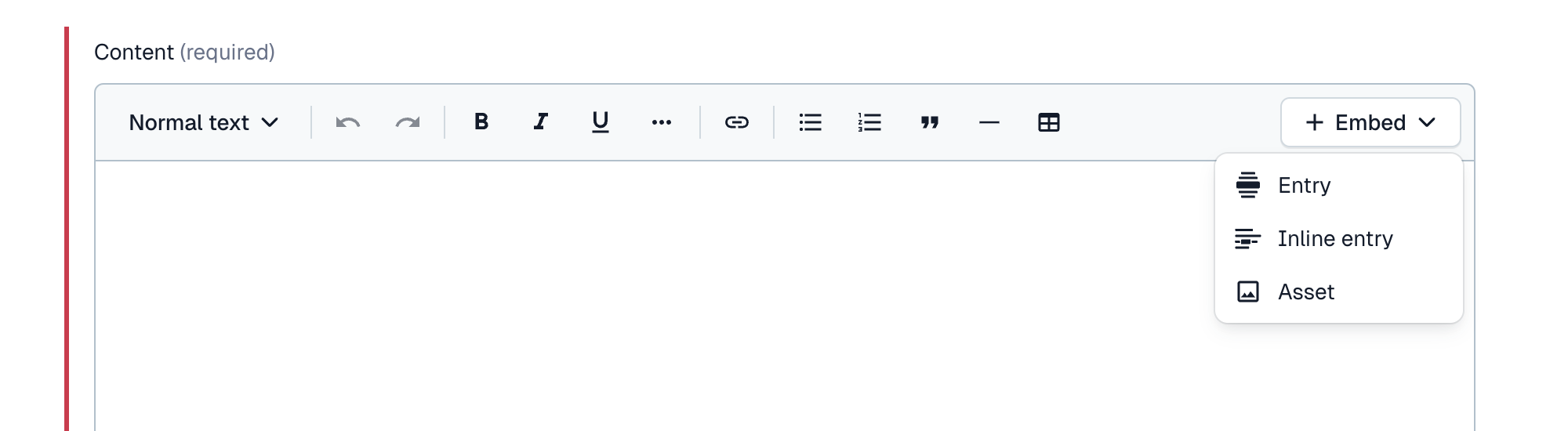
- Click + Embed in the content field.
- Choose Asset and select the uploaded image.
Embedding Content in Blogs #
We have configured contentful to support embedding of videos, images & blogs in the following ways:
- Asset (Image) – Use uploaded images within blog content.
- Entry (Vimeo Video) – Only Vimeo videos are supported.
- Inline Entry (Reference Another Blog) – Embed another blog entry within the content.
This guide provides the necessary steps to efficiently create and manage blog content in Contentful.